 VOICE
VOICECreate records
Create agreed lead, enquiry or contact records where the integration and required fields are verified.
CRM & FOLLOW-UP
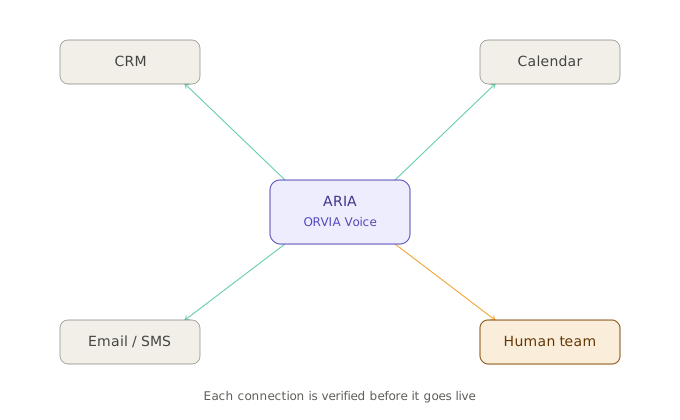
ORVIA Voice can turn a conversation into structured fields, a concise summary, the next action and an assigned human owner where the target CRM or workflow has been verified.
WHAT CUSTOMERS GET
Create agreed lead, enquiry or contact records where the integration and required fields are verified.
Apply carefully scoped updates where permissions, identity and customer rules permit.
Store a concise operational outcome rather than forcing colleagues to replay a whole call.
Create a callback or task for the correct named person, role or queue.
Start approved email, SMS, callback or internal notification workflows.
Use agreed fields and mapping so similar calls create comparable information.
FROM CALL TO RECORD
Who called and what do they need?
Apply the agreed reason, route and priority.
Write only to verified fields and systems.
Create the human owner or queue.
Trigger the agreed next communication.
EXAMPLE
Can I take your company name and the service you're interested in?
Westbridge Property. We need after-hours call handling for maintenance.
Thank you. I’ll capture the requirement and arrange the next human follow-up.
HANDOVER
LIMITS
monday.com workflows may be used where configured; other CRMs are assessed individually before being represented as active.
Voice can create structured new records but does not automatically repair years of inconsistent historic CRM data.
The organisation decides which fields, owners and statuses should be used rather than allowing unrestricted writes.
Where a field or action is consequential, the safer workflow can be to create a human review task instead of changing the record directly.
BEST FIT
Capture new enquiries and ensure the next action has an owner.
Turn routine call outcomes into visible cases or tasks where the system supports it.
Make sure calls arrive with a reason, route and structured context rather than landing in a general inbox.
Show us the CRM fields and follow-up steps your team currently types manually.